
[et_pb_section fb_built=””1″” admin_label=””section”” _builder_version=””4.16″” global_colors_info=””{}”” theme_builder_area=””post_content””][et_pb_row admin_label=””row”” _builder_version=””4.16″” background_size=””initial”” background_position=””top_left”” background_repeat=””repeat”” global_colors_info=””{}”” theme_builder_area=””post_content””][et_pb_column type=””4_4″” _builder_version=””4.16″” custom_padding=””|||”” global_colors_info=””{}”” custom_padding__hover=””|||”” theme_builder_area=””post_content””][et_pb_text admin_label=””Text”” _builder_version=””4.16″” background_size=””initial”” background_position=””top_left”” background_repeat=””repeat”” global_colors_info=””{}”” theme_builder_area=””post_content””]
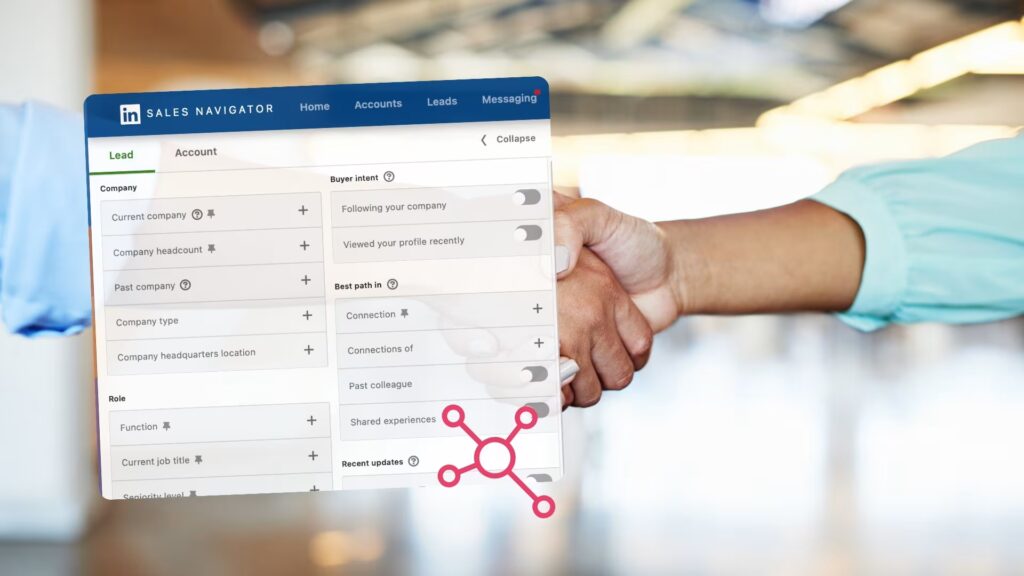
LinkedIn Sales Navigator is a tool that fundamentally changes the way you approach sales. It will be especially appreciated by professionals who want to find, reach and build relationships with potential customers more effectively. How can LinkedIn Sales Navigator help you streamline your sales process, what features does it offer and what is its pricing plan? We’ll take a look at that today and show you how Sales Navigator works in Get Leads.
Article content:
Meet Sales Navigator. LinkedIn’s tool to help you sell.
Sales Navigator by LinkedIn is an advanced tool designed for professional marketers who want to find and reach potential customers more effectively in the e-commerce industry. The platform is based on increasing sales and building relationships by helping to identify key people at target companies. This makes it easier to reach decision makers in the company, influencers, former customers, colleagues and executives. Sales Navigator is the ideal solution for virtual sales and long-term relationship building.
What features does this LinkedIn tool have?
You already know what LinkedIn Sales Navigator can do for you. You’ll have several tools at your disposal to help you reach your goals and get the right leads. What are they? We’ve made a brief selection of the most key features that Sales Navigator offers.
Advanced search helps you find the most relevant contacts
The first and biggest advantage of Sales Navigator is the advanced search option. It opens up over 40 filtering options to help you target specific leads and companies. You will be able to sort your contacts by:
- Locations
- Industries
- Company sizes
- Seniority of staff
You’ll also enjoy unlimited searches, overcoming the usual limitations of LinkedIn. Over 2,500 potential leads will appear in the expanded results list when you search. So you’ll always have plenty to choose from.
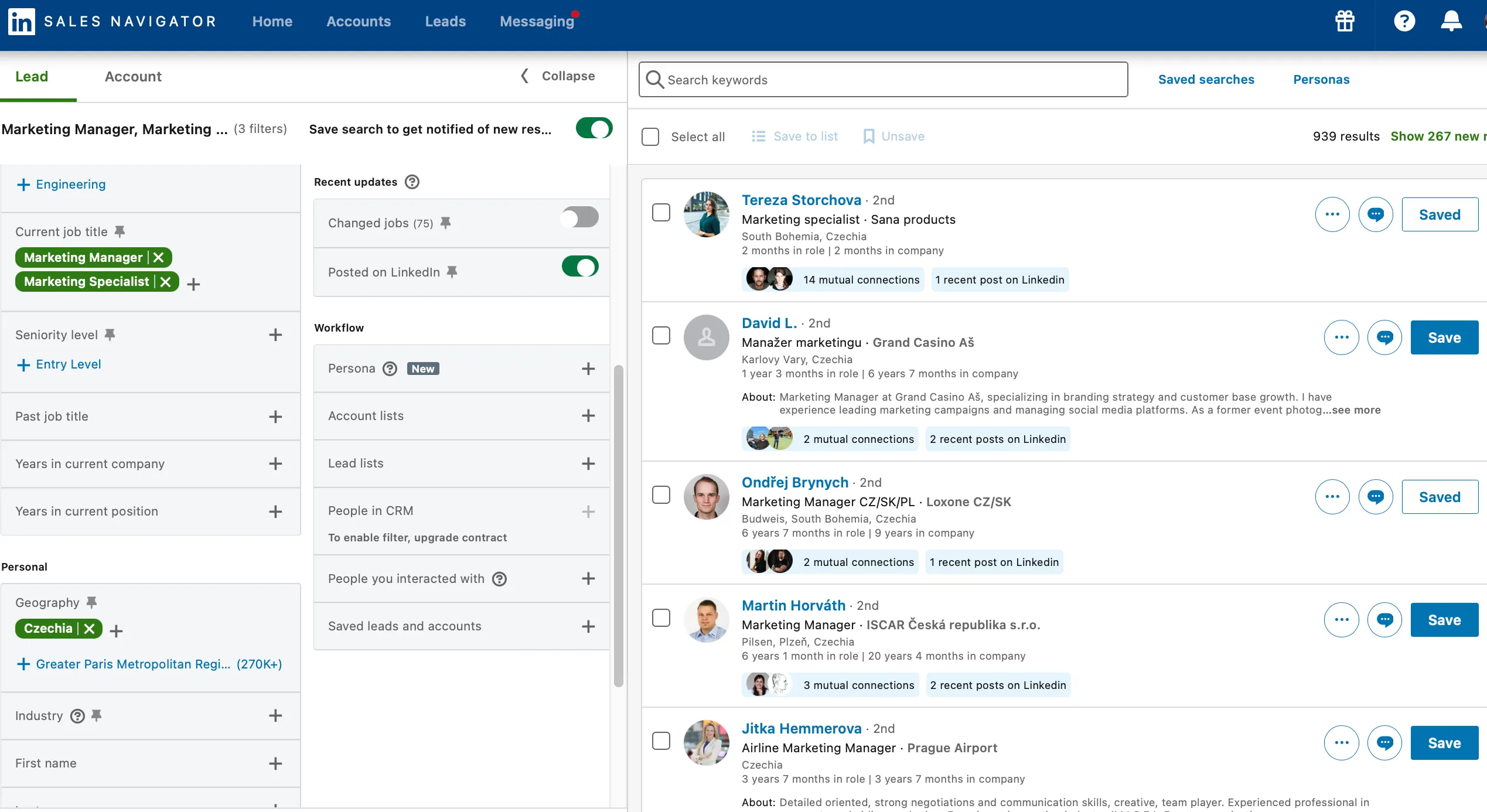
To explain: what is a “Lead”? A lead is a “hot contact” – a serious prospect interested in your business. Use the Sales Navigator to find the most relevant leads.
You’ll be the first to know about your leads’ activity
The “Track Lead Activity” feature ensures that you always know what’s going on with your selected contact. You’ll always be alerted to important changes – job changes or new interactions – on your leads’ profiles. This allows you to send your sales offers at the right time or respond to your leads’ comments.
Storing leads in lists. You’ll always keep them in order
You will be able to save and categorize the leads themselves according to the criteria you choose. These databases are useful for comparing your campaigns or target groups. You can easily see if your campaign is working better with HR managers or event managers, for example. Keeping your contacts in order will increase the success and targeting of your business activities.
Expanded InMail messaging options help you reach more contacts. With SmartLinks, you can see what your customers are interested in.
Extended options InMail messaging allow you to reach more potential clients, even outside your network. Compared to the regular version of LinkedIn, Sales Navigator delivers more InMail messages per month. This will help you extend your communication reach and make it easier to establish business contact.
Using Smart Links you will know what links your leads are clicking on and how long they stay on the link. This will allow you to tailor your marketing communication to your target audience. The additional Buyers intent feature will then show you the interactions of users from your target companies with your profile or website. You’ll also learn how your LinkedIn advertising is reaching them.
Interesting fact: LinkedIn is working on integrating generative AI into Sales Navigator. This planned feature would use AI for enhanced lead prospecting. With natural language and commonly used phrases, AI should help salespeople identify relevant leads faster and simplify the entire prospecting process.
Source: https://business.linkedin.com/sales-solutions/deep-sales
How much will Sales Navigator cost you?
Before we even get into the Sales Navigator pricing itself, it’s important to say that once you’re interested in closing more deals through LinkedIn, Sales Navigator is almost essential to doing so. However, what we’ve found to be true in practice is that with the very first lead, the investment in this tool pays off.
You can try Sales Navigator for FREE for the first month.
TIP ALSO: If you know someone who already uses it, like us, you can get a second month free with an invitation.
So what is the price list for 2025?
| Plan | Price per user/month (2025) | Price per user/year(2025) |
| Core | $99.99 | 22 000 ($959,88) |
| Advanced | $149 | 29 900 ($1 300) |
| Advanced Plus | Individual price | Individual price |
Source : https://business.linkedin.com/sales-solutions/compare-plans
What features are waiting for you in each subscription?
Core
The Core plan offers advanced search and filters, unlimited searches and the opportunity to save up to 10,000 leads. You’ll have the ability to send up to 50 InMail messages per month and create custom lead tracking lists. You’ll also receive notifications of their activity and get access to the Account Map feature for creating buyer maps.
Advanced
The Advanced plan has all the features of the Core plan. In addition, you get workflow integration and the ability to upload your own contact database via CSV. You’ll also unlock the Smart Links tool for advanced outreach and receive notifications of buyer intent. Team collaboration will be streamlined with the ability to share lists and prospecting.
Advanced Plus
The Advanced plus plan has all the features of the Core and Advanced plans. You’ll also get access to Salesforce and Microsoft Dynamics 365 integration, ROI reporting, CRM Sandbox support, and the ability to assign Sales Navigator licenses based on roles in the CRM system.
You’re interested, how LinkedIn works? Check out our article on how SEO affects it, or download our free e-book on the Social Selling Index.
What can LinkedIn Sales Navigator help you with?
Thanks to Sales Navigator, you can find your target group faster or test whether you are targeting your target group effectively enough. With advanced search filters, you can easily target specific industries or contact seniority.
Skipping generic emails and executive assistants is also a big advantage. Simply take your sales pitch directly to the CEO or decision maker. Use InMail messages to reach users outside your network.
You can continuously evaluate your campaigns and note their reactions and the seriousness of their interest in your products or services in their contact lists. This is especially useful when A/B testing the messages you send to your contacts. In addition, Smart Links gives you insight into who has viewed your shared content and how long they’ve spent on it, which helps you better understand your leads’ behavior.
How to find leads quickly using Sales Navigator? We have a little tip for you
At GetLeads, we know how difficult it can be to find people in leadership positions. So we’ve put together a few keywords that can help.
- Cheif Executive Officer, CEO, CXO
- Executive director / director
- Owner / Co-owner
- Managing director
- Founder / Co-founder
- Director
At Get Leads, we help our clients to properly optimize their LinkedIn profiles, manage them and work with Sales Navigator. This ensures that we regularly get quality leads that are ready to establish business relationships with our clients. Do you also want to expand your circle of followers with relevant contacts and close deals faster? Contact us and get great business opportunities.
[/et_pb_text][/et_pb_column][/et_pb_row][/et_pb_section]